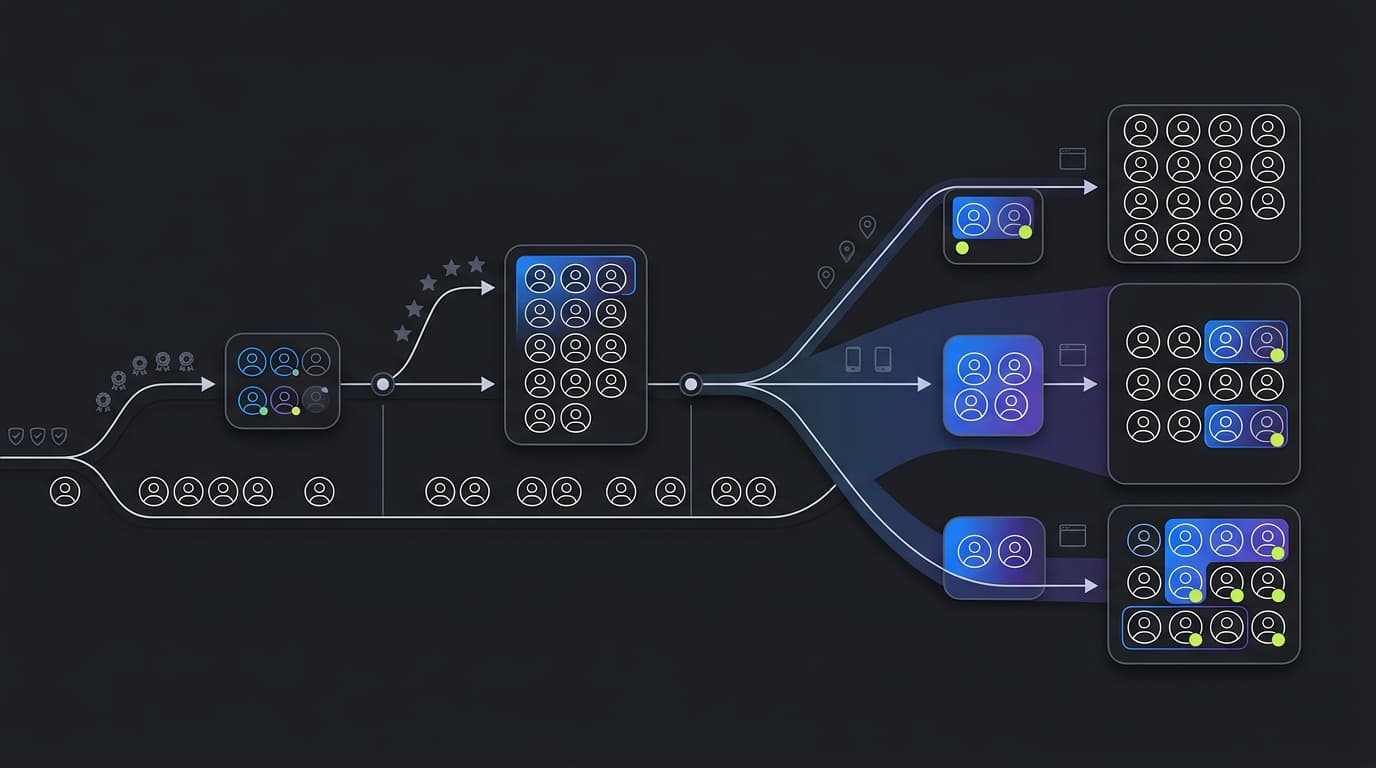
Continuous Deployment promised to revolutionize software delivery: automatically deploy every commit that passes tests. But for many teams, this promise fell short. The problem wasn't the automation - it was the all-or-nothing nature of traditional deployments.
Progressive Delivery is the solution. It's what happens when you combine continuous deployment with fine-grained control over feature releases.
The Continuous Deployment Dilemma
Traditional Continuous Deployment (CD) works great when:
- Your tests catch 100% of bugs (they don't)
- All features are ready for all users (they aren't)
- Performance issues are predictable (they're not)
- You never need to coordinate releases with other events (you do)
For real-world teams, CD often means:
- Deploying less frequently than you'd like
- Maintaining complex branching strategies
- Stressing about every deployment
- Having impressive CI/CD pipelines that no one trusts
Enter Progressive Delivery
Progressive Delivery adds control layers on top of CD:
Layer 1: Deployment
Code reaches production servers. This happens automatically on every merge to main.
Layer 2: Release
Features become visible to users. This is controlled independently of deployment.
Layer 3: Rollout
Features reach users gradually. Start with 1%, expand to 100% over time.
Layer 4: Targeting
Specific user segments see features before others. Beta users, power users, specific regions.
Layer 5: Validation
Automated monitoring validates each stage. Proceed if metrics look good, rollback if they don't.
The Progressive Delivery Pipeline
Here's what a modern progressive delivery pipeline looks like:
// Progressive delivery configuration
const progressiveRollout = {
  feature: 'new-dashboard',
  stages: [
    {
      name: 'internal',
      percentage: 0,
      targeting: { team: 'internal' },
      duration: '2d',
      metrics: ['error_rate', 'load_time'],
    },
    {
      name: 'beta',
      percentage: 5,
      targeting: { beta_user: true },
      duration: '3d',
      metrics: ['error_rate', 'engagement', 'satisfaction'],
    },
    {
      name: 'rollout',
      percentage: [10, 25, 50, 100],
      increment: '1d',
      metrics: ['error_rate', 'conversion', 'revenue'],
      rollback: {
        error_rate: { threshold: 0.01, action: 'stop' },
        conversion: { threshold: -0.05, action: 'rollback' },
      },
    },
  ],
}
This configuration:
- Deploys to internal team for 2 days
- Releases to 5% beta users for 3 days
- Progressively rolls out to all users over 4 days
- Automatically rolls back if error rates spike or conversion drops
Why Progressive Delivery Wins
Faster Time to Market
Deploy features the moment they're code-complete, even if they're not ready for all users. This reduces cycle time from weeks to days.
Reduced Risk
Gradual rollouts mean problems affect fewer users. Automated rollback means problems are caught and fixed quickly.
Better Testing
Test in production with real users and real data. No staging environment can replicate production perfectly.
Business Alignment
Engineering and business can work independently. Engineers deploy when code is ready. Product managers release when the market is ready.
Data-Driven Decisions
Every release becomes an experiment. Measure impact and decide whether to proceed based on data, not gut feel.
Implementing Progressive Delivery
Step 1: Establish CI/CD
You need automated deployments as the foundation. If you're not continuously deploying to production, start there.
Step 2: Add Feature Flags
Wrap new features in flags. Start with simple on/off toggles, then add percentage-based rollouts.
Step 3: Improve Monitoring
You need real-time metrics on:
- Technical health (error rates, performance)
- User behavior (engagement, conversion)
- Business outcomes (revenue, retention)
Step 4: Define Rollout Stages
Create standard rollout stages for your team:
- Internal (your team)
- Beta (opted-in users)
- Canary (1-5%)
- Graduated rollout (10% → 100%)
Step 5: Automate Decisions
Start with manual progression through stages, then automate based on metrics.
Step 6: Create Runbooks
Document what happens at each stage and how to respond to problems.
Real-World Results
A fintech company adopted progressive delivery:
Before:
- Deploy weekly
- 4-hour deployment process
- 20% of deployments caused incidents
- 2-hour average recovery time
After:
- Deploy 30x per day
- 10-minute deployment process
- 2% of deployments cause incidents
- 5-minute average recovery time (automated rollback)
More importantly, they shipped features 60% faster while improving reliability.
Common Patterns
The Standard Rollout
1% → 5% → 25% → 50% → 100% over one week
The Geographic Rollout
Australia → Asia → Europe → US (follow the sun)
The Tier Rollout
Free users → Basic → Pro → Enterprise
The Ring Deployment
Internal → Partner Companies → General Availability
Challenges and Solutions
Challenge: Managing multiple active feature flags
Solution: Implement flag lifecycle management and automated cleanup
Challenge: Ensuring consistent user experience
Solution: Use consistent bucketing based on user ID
Challenge: Coordinating between teams
Solution: Centralized flag management with clear ownership
Challenge: Technical debt from old flags
Solution: Make flag removal part of "done" definition
The Future is Progressive
Progressive Delivery isn't just a better way to deploy - it's a fundamental shift in how we think about software delivery. It recognizes that:
- Deployment and release are separate concerns
- Risk should be managed through gradual exposure
- Production is the only true test environment
- Data should drive decisions, not opinions
Teams that embrace progressive delivery ship faster, with higher quality, and less stress. It's the next evolution of software delivery, and it's available today.
Start with one feature. Use a flag. Roll it out gradually. Measure the results. You'll never go back to all-or-nothing deployments.